Coming Soon: Secure, Customizable Field Capture with the DIMS Mobile App
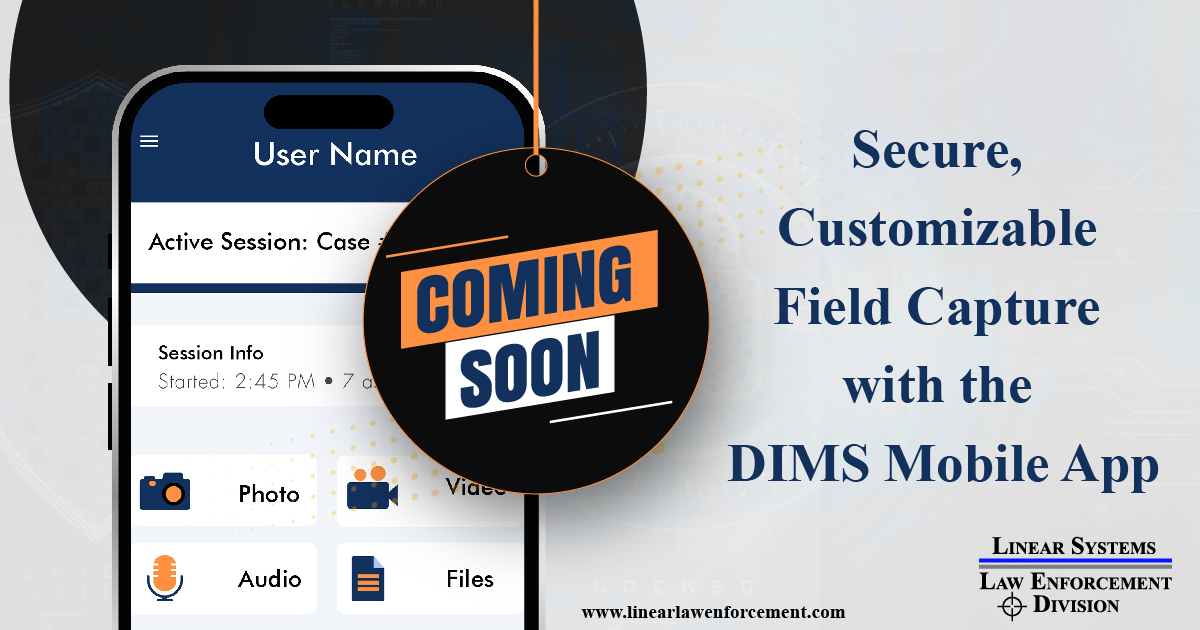
DIMS Mobile App (Android & iOS) is on the way. It’s designed to let authorized personnel capture photos, video, and audio at the scene and deliver them securely to your agency’s DIMS ImageServer—no docking station or office stop required.*
Why a Mobile Evidence App Matters
The minutes after an incident are when details fade and evidence can be lost. A purpose-built mobile app closes that gap by putting policy-driven, secure capture in every trained hand; officers, detectives, crime scene techs, and any unit that documents incidents in the field (campus security, corporate investigations, code enforcement, environmental response, insurance SIUs, and more).
Built To Fit Your Agency
Every agency operates differently. DIMS Mobile is being built so your DIMS Administrator can tailor it to your policies and procedures:
- Custom workflows & permissions by role or unit
- Configuration updates pushed to devices (“write once, run anywhere”)
- Settings that enforce policy in the field without retraining or re-deploying the app
Chain of Custody, by design
Planned safeguards focus on evidentiary integrity from the moment of capture:
- No camera roll: assets live in secure app storage, not the personal gallery
- User authentication against your DIMS ImageServer
- Verified delivery: local copies are removed after server confirmation
- Standard file formats for review and disclosure**
- Rich metadata (when available): geolocation, device time, device details, authorized user
- Administrative controls: optional screenshot logging, restricted deletion (admin-authorized), and asset receipts for full transparency
Thoughtful Tools for Real Work
To help teams confirm they “got it” before leaving the scene, the app is planned to include:
- Photo preview with pinch-to-zoom
- Audio preview (quick rewind/fast-forward, slow mode)
- Video preview using native controls
- Blackout Mode (where policy permits) for discreet recording
Be The First To Try IT
We’re preparing early access with select agencies. If you’d like to pilot the DIMS Mobile App or help shape final features and policy controls, join the early access interest list, and we’ll follow up with next steps.
* Assets will queue when offline and transmit once connectivity is restored, according to your admin settings.
** Exact formats and options will be configurable by your DIMS Administrator; features and timelines are subject to change before general availability.